JackpotRaider Mobile Casino and App Experience
 Available in GB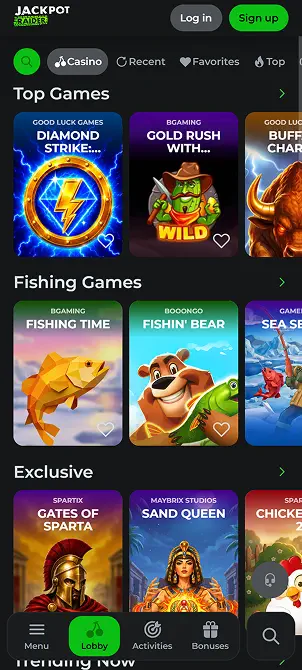
JackpotRaider UK Guide
If you are looking for a Jackpot Raider app, the useful answer is that the current official site describes its mobile product as a progressive web app, or PWA. You access it through the official JackpotRaider website on a phone, then add it to your home screen where your browser supports that option. The official mobile copy says you do not need an APK and do not need to find a separate App Store package. In practical terms, this is closer to a browser-based app shortcut than a conventional native iPhone or Android download. The same account is used across desktop and mobile, and the PWA receives site updates without a separate manual app update. No verified native Apple App Store or Google Play listing has been identified, and there is no reason to install an APK from a third-party download site.
Table of Contents
- What the JackpotRaider PWA actually means
- How to add JackpotRaider to a phone home screen
- PWA versus native app: the practical trade-off
- What can you use on mobile?
- Cashier and support from a phone
- Cross-device account use
- How to avoid fake JackpotRaider app downloads
- A mobile decision checklist
- When JackpotRaider mobile access makes sense
What the JackpotRaider PWA actually means
A progressive web app is a website built to behave more like an installed application when opened on a compatible phone. JackpotRaider’s current official copy explicitly describes its mobile casino this way and tells users to visit the site from a phone and use the browser’s “Add to Home Screen” option. That creates a convenient icon without changing the underlying delivery model: the casino still comes from the web rather than from a separately downloaded native application package.
That distinction matters because search results often use the word “app” loosely. A page can call a mobile product an app even when there is no native store download. For JackpotRaider, the verified model is PWA/mobile browser. The official site says no APK or App Store package is needed. That is the safer way to frame installation because it avoids inventing store links that have not been verified.
The PWA model also changes how updates work. The current official description says changes made to the site are delivered to the mobile lobby automatically, so a user does not have to download a new version manually. From a practical point of view, that can reduce the familiar cycle of checking an app store for updates. It also means the official domain remains the critical access point, because the experience is being delivered from the website itself.
How to add JackpotRaider to a phone home screen
The exact menu wording can vary by browser version, but the general flow is straightforward. First, open the official JackpotRaider domain in a modern browser on your phone. Second, use the browser menu or sharing menu and look for an option such as “Add to Home Screen” or “Install app”. Third, confirm the shortcut. The resulting icon should open the web app from your home screen. JackpotRaider’s own current mobile copy tells users to use the Add to Home Screen function on Android or iPhone.
On iPhone, the home-screen action is commonly reached through Safari’s share menu. On Android, Chrome and other Chromium-based browsers commonly expose an install or add-to-home-screen control from the browser menu. Those are browser conventions rather than a promise about one fixed button label. If your browser does not offer an install action, you can still use the mobile site directly in the browser.
Sideloading software is not required for the verified JackpotRaider mobile experience because the official description specifically says an APK is unnecessary. If you encounter a third-party page offering a JackpotRaider APK, treat that as a separate, unverified download rather than part of the official access route.
PWA versus native app: the practical trade-off
A native app is distributed as a software package through an app store or direct installer. A PWA is delivered from the web and can be pinned to the home screen. For JackpotRaider, that gives users an app-like entry point without making a verified claim that a native iOS or Android package exists.
The PWA approach has several practical advantages. There is no separate store installation step, the mobile lobby can update when the site updates, and one account works across devices. It also avoids searching app stores for similarly named products. On the other hand, users who specifically want a store-listed application with a publisher listing and store-managed installation should note that a native app-store listing has not been confirmed for JackpotRaider.
The right choice therefore depends on what “app” means to you. If you mainly want a one-tap home-screen shortcut and the full web casino in a phone-friendly format, the verified PWA model addresses that need. If you require a conventional native store package, do not assume the PWA is the same thing.
What can you use on mobile?
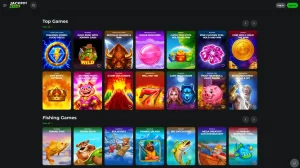
JackpotRaider offers slots, a live casino and sports betting, and the current official site says these products are available through its app-style mobile experience. That means the mobile route is not presented as a stripped-down promotional landing page. It is intended as an access layer for the same account and gaming environment.
For slots, the most useful check is screen fit rather than whether the product is called an app. Open a game, rotate the phone if the title supports landscape mode, and confirm that stake controls, paytable access and session information remain readable. The broader game catalogue belongs in our game library rather than being repeated here.
Live casino has a different mobile requirement. Streaming tables depend more heavily on a stable connection, and a small screen can make table selection, bet controls and side panels feel crowded. If live dealer play is a priority, test the lobby and a table in the browser before treating mobile as your main device. Our live casino page covers the category itself in more detail.
Sports betting is also available at brand level. On a phone, the practical questions are whether markets remain easy to expand, whether the bet slip is clear and whether account navigation remains manageable when switching between sports and casino sections. Those usability checks are more useful than assuming that a native app would automatically perform better.
Cashier and support from a phone
JackpotRaider supports multiple payment categories, but payment availability can vary by account and method. The mobile decision is therefore not simply whether the cashier opens. Check the exact payment methods and transaction currency shown inside your own account. For UK readers, our payment methods also explains why GBP should not be assumed to be a verified JackpotRaider account currency just because you access the site from Britain or use a UK payment instrument.
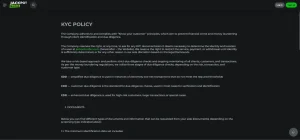
The brand also has verified 24/7 live chat support. That is useful on mobile because account, payment or login questions can be raised without moving to a desktop. When a problem involves a transaction or game session, provide the specific reference, time and status rather than relying on a vague description. If a verification request appears, the account verification explains what documents the current KYC policy can request.
A mobile browser is also a sensible place to be cautious with payment hand-offs. If a wallet or bank approval opens another app, check that you return to the correct JackpotRaider session afterward. Do not repeat a transaction just because a confirmation screen takes time to refresh. The live cashier status is more reliable than assuming that a second tap is harmless.
Cross-device account use
The official JackpotRaider mobile copy says the same account can be used on desktop and through the PWA. This matters if you register on one device and later switch to another. You are not creating a separate “mobile account” simply because you add the PWA to your home screen.
That also means account rules follow you across devices. JackpotRaider’s Terms allow one account per user and require accurate registration information. Moving between a phone, tablet and desktop does not create a second entitlement or a separate set of limits. If you are in the middle of KYC or a withdrawal, treat the account state as shared even if the interface looks slightly different on a smaller screen.
For users who regularly switch devices, a simple routine helps: use the official domain, keep the same login credentials, avoid saving passwords on shared devices, and sign out when using a phone or tablet you do not control. Those are device-side hygiene steps, not claims about a special JackpotRaider security certification.
How to avoid fake JackpotRaider app downloads
The biggest mobile-specific risk is confusion between the verified PWA route and an unverified native download. Because the official site says an APK is not necessary, an APK offered by an unrelated download page should not be treated as required software. The same applies to an app-store listing with a similar name but no clear connection to the official brand.
Start from the official JackpotRaider domain rather than from a download directory. Check the address before entering credentials, especially after following a search result, message or advertisement. If the browser offers a home-screen install from the official site, use that route instead of searching for an installer file. Do not disable phone security controls or enable unknown-source installation merely to obtain a casino shortcut.
This is a practical authenticity check, not a claim that every third-party file is malicious. The point is simpler: the verified product does not require that extra step, so introducing an unverified installer adds risk without being necessary for the documented PWA experience.
A mobile decision checklist
Choose the mobile PWA/browser route if you want quick access from a phone without managing a separate app download. Confirm that your normal browser offers the home-screen option if you want an app-style icon. Test the game categories you actually use rather than assuming all small-screen experiences feel identical. Live dealer streams and sportsbook market navigation put different demands on a phone than slots.
Before funding the account from mobile, open the live cashier and confirm the method and currency shown. If verification is requested, use the account process rather than sending documents to an address or uploader you reached from an unverified third-party page. For support, use the site’s own live chat or verified support route.
If your priority is a native App Store or Google Play package, JackpotRaider is not a match because no such store package is verified. If your priority is a browser-based casino that can be pinned to the home screen, the current official PWA model is the relevant product.
When JackpotRaider mobile access makes sense
JackpotRaider’s verified mobile setup is a progressive web app and mobile-browser experience. The official site tells users they can add it to the home screen and says no APK or separate App Store package is needed. Slots, live casino and sports betting are available at brand level, and the same account is used across desktop and mobile. The key practical rule is to start from the official domain and treat any third-party APK or unverified store listing as separate from the documented PWA route.
For the wider product picture, return to the full review. Use the game library guide for casino content, the account guide for mobile registration and verification, and the payment methods guide before using the cashier from a phone.